Sections
Dividers you name yourself, for when category and priority do not describe your flow.
A category describes which area a task belongs to. A section describes where in your flow it sits — and that flow is yours, not the app's. "Waiting on a reply", "To review", "Next week": none of that fits in a priority or a category.
Creating and using them
- On the Tasks screen, open the section manager.
- Create the section with the name you would use out loud.
- Drag tasks into it, or pick the section while editing a task.
With Group by → Section, the list is organised by them.
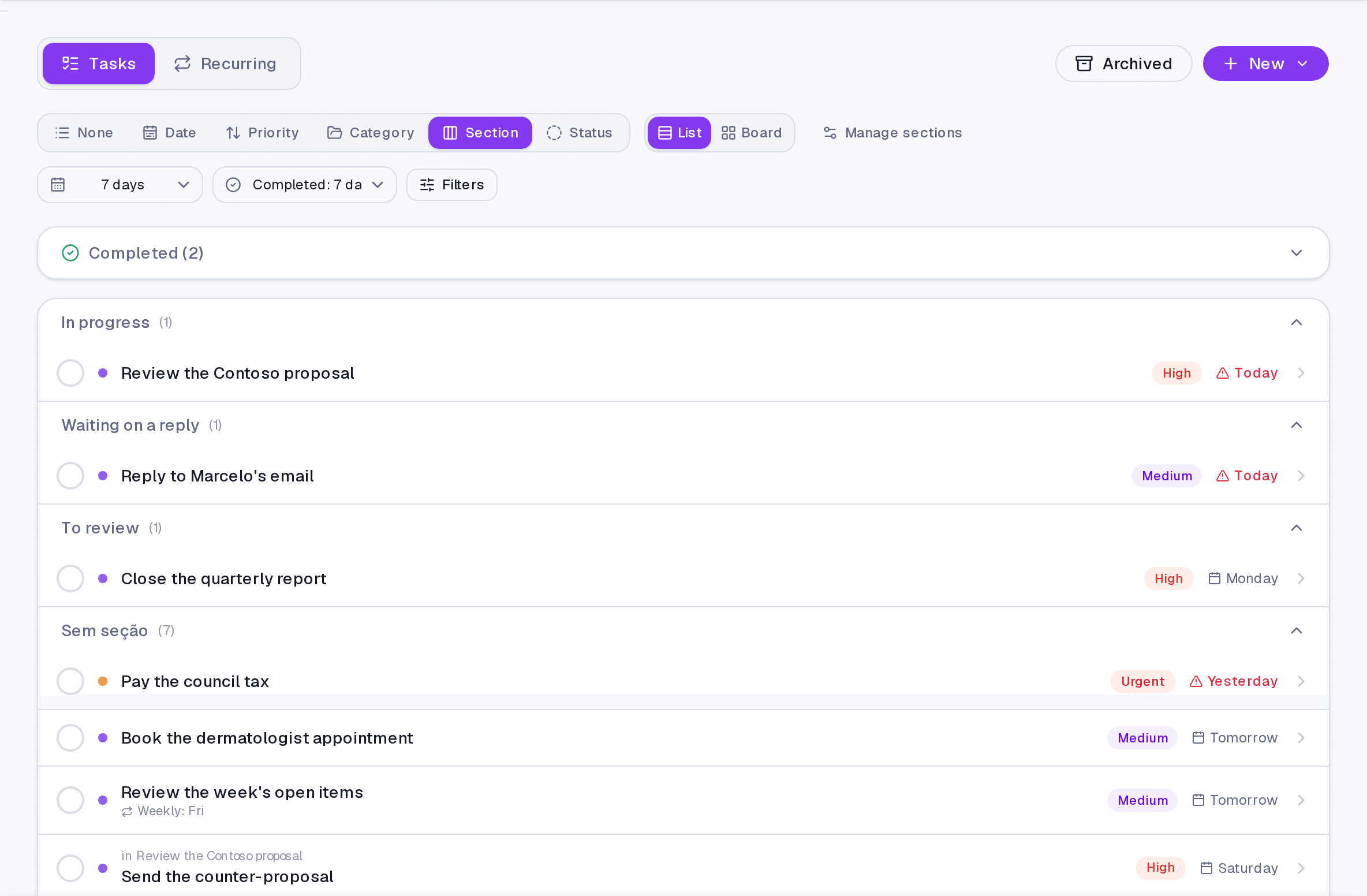
Where it lives
The Tasks screen, in both the list and the board view. On the board, sections become the columns.
Limits and plans
Sections follow organisation: available on any paid plan.
Common questions
Can a task be in two sections? No. A section is a place, and a thing is in one place at a time. For cuts that stack, use tags.
I deleted a section. What about its tasks? They keep existing, without a section. Deleting the divider never deletes what was inside it.
Do I need sections? No. They solve one specific problem: when you catch yourself creating categories that are not areas of life, but stages.
Updated on August 26, 2026