01
Tasks
Get those to-dos out of your head. Set priorities, break work into steps and track it in a list or board.
Bring tasks, calendars and habits together. With an AI assistant that turns what you need to do into a more organized day.
14 days free, no card. The AI asks for a validated card, with no charge.
A little focus. Some time for yourself.
Get those to-dos out of your head. Set priorities, break work into steps and track it in a list or board.
See events, tasks and habits together. Bring in your Google Calendar and Outlook events, too.
Make time for what feels good. Check in on your habits and see your consistency grow over time.
Ask by text or voice. AI reads your schedule and creates, updates or reorganizes your DayAlly items.
You don’t need a perfect list to get started. Start with what’s on your mind and build your routine from there.
Take a look insideType or dictate the to-dos, plans and events you need to organize.
AI uses your routine as context to create tasks, events and habits. Review the actions in the conversation.
See it all in your calendar, track what’s done and reschedule when plans change.
Choose a feature and discover how it fits into your routine.

Dump everything on your mind. The AI reads it and proposes an order.
Dictate your request in chat and turn a loose thought into a next step. Available with Pro.
Track your metrics and, with Pro, get AI briefings and summaries to reflect on your routine.
Set alerts for your items and enable notifications on a supported browser or phone.
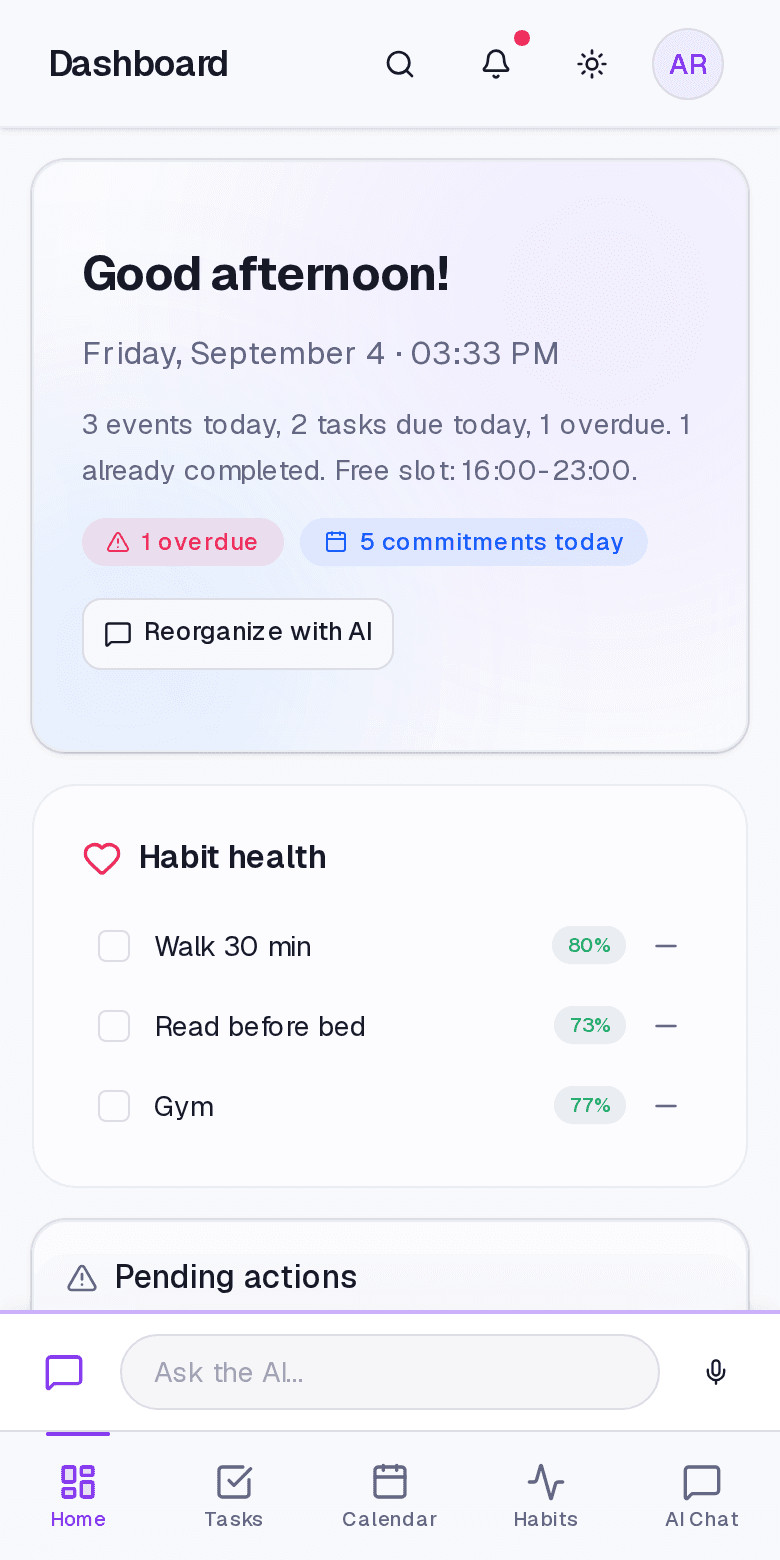
Check your day, capture a task and log a habit on your phone. Install DayAlly as an app to keep your routine close at hand.
Start with a 14-day Pro trial. Then choose what works for you.
Bring your routine together and organize every detail.
Organize your routine with a little extra help from AI.
When the trial ends, nothing is charged automatically. If you don't choose a plan, your data stays yours: you can view and export your tasks, calendar and habits.
Your trial: 50 AI messages and 5 voice minutes over 14 days. No card to start; the AI asks for a validated card. Trial amounts may change.
Questions before subscribing? Chat on WhatsApp
DayAlly imports events from the calendars you select. The connection is read-only: make changes in Google or Outlook. Items created in DayAlly are not sent to those calendars.
No. Your 14-day trial starts right away, with no card. Only the AI asks for a validated card — with no charge — because every message costs money.
Nothing is charged. If you don't choose a plan, your account becomes read-only: you can still view and export your tasks, calendar and habits — you just can't create or edit. When you subscribe, everything is back as it was.
Yes. No penalties, no hassle. Cancel from the dashboard and keep using it until the end of the paid period.
Yes. You can require confirmation before actions and review what happened in the conversation cards. AI data processing requires your consent, which you can revoke in settings.
Yes. Responsive web app that can be installed as a mobile app (PWA). Works on Android and iOS.
Yes. The app is available in Brazilian Portuguese and English, and you can chat with the AI in either language.
The tasks are still there. But you can have an ally to help you organize them.
Try 14 days free14 days free, no card. The AI asks for a validated card, with no charge.