Completed and archived
Where things go when they leave the list — and how long the archived ones stay.
A task that leaves the list goes to one of two places, and they have different rules about how long they stay.
Completed
They sit in their own section at the end of the list, with a Completed (n) counter. The Completed filter decides how long they keep showing: hide them entirely, or show today's, the last 7 days', or the last 30 days'.
That is display only. A completed task is not deleted and stays in your history and in the Insights numbers.
To reopen one, untick its checkbox: it goes back to pending.
Archived
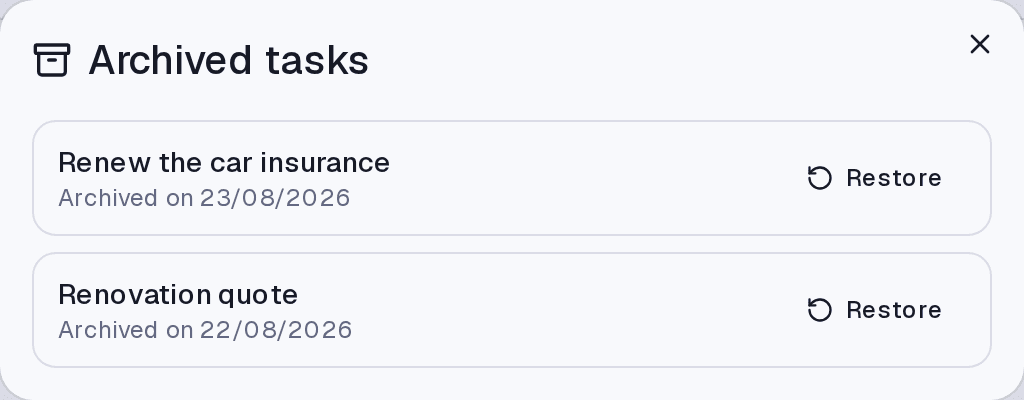
Archiving takes a task off the list without completing it — for whatever stopped making sense. They live under Archived, showing the date they were archived and a Restore button.
What happens to the children
- Steps always go along — they do not exist outside the task.
- Subtasks become top-level tasks, keeping their date and properties, unless you choose Delete all in the confirmation.
That is the behaviour that avoids losing work: a subtask with its own date already had a life of its own, and archiving the parent should not bury it silently.
Where it lives
The Tasks screen: completed ones at the end of the list, archived ones behind the Archived button. Archived recurrences have their own equivalent list in the Recurring tab.
Common questions
What is the difference between archiving and deleting? On the Tasks screen, what the delete button does is archive — with a way back. Categories and tags are the ones truly deleted, with no bin.
I restored a task and it did not go back to its old section. It comes back with the same data. If the section was deleted meanwhile, it comes back without one.
When do the 30 days start? From the archive date, which is shown in the list.
Updated on August 26, 2026