Complete, archive, and undo
The three ways to clear a task out of the way, and which of them can be reversed.
Three similar-looking actions with very different effects:
- Complete — the task got done. It leaves the pending list and stays in your history.
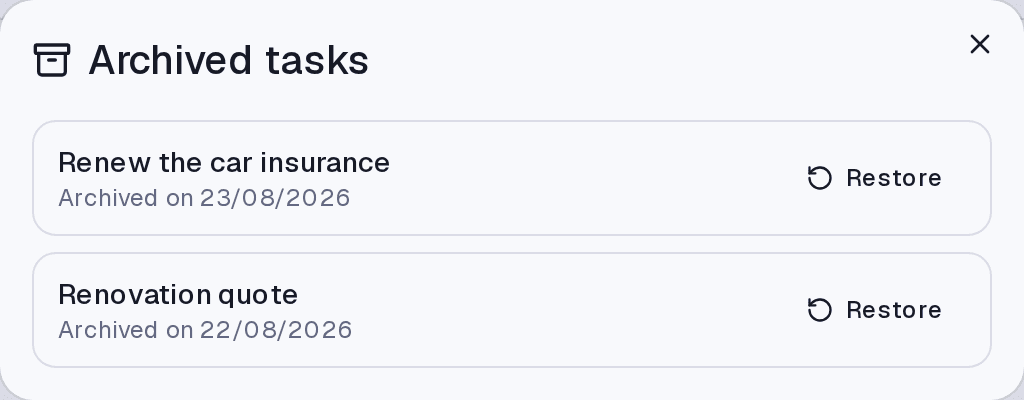
- Archive — the task no longer matters, but you do not want to lose it. It disappears from the list and can come back.
- Delete — gone for good.
How to do each
- To complete, click the checkbox beside the title.
- To archive or delete, open the task menu and choose the action.
When you complete something, a brief toast appears with Undo. It is the safety net for the wrong click — but it lasts only a few seconds.
Completing with open subtasks
If the task has open subtasks, the app asks what to do: Complete all, Keep them open, or Reschedule to tomorrow. Tick Remember my choice so it stops asking.
Finding what left
Completed tasks sit in their own section at the end of the list, and the Completed filter controls how long they keep showing. Archived ones live under Archived, with a Restore button.
Limits and plans
With no active plan the account is read-only: you keep seeing everything and exporting it, but you cannot complete, archive, or delete.
Common questions
I deleted something by accident. Can I get it back? If the task was archived, yes — it is under Archived. If it was deleted, no.
I archived a task that had subtasks. Steps always go along. For subtasks the app asks first: Only the task or Delete all.
Does completing a recurring task complete every occurrence? No. It completes that day's occurrence; the recurrence keeps generating the next ones.
Updated on August 26, 2026