Anatomy of a task
What each field does, and which ones are actually worth your time to fill in.
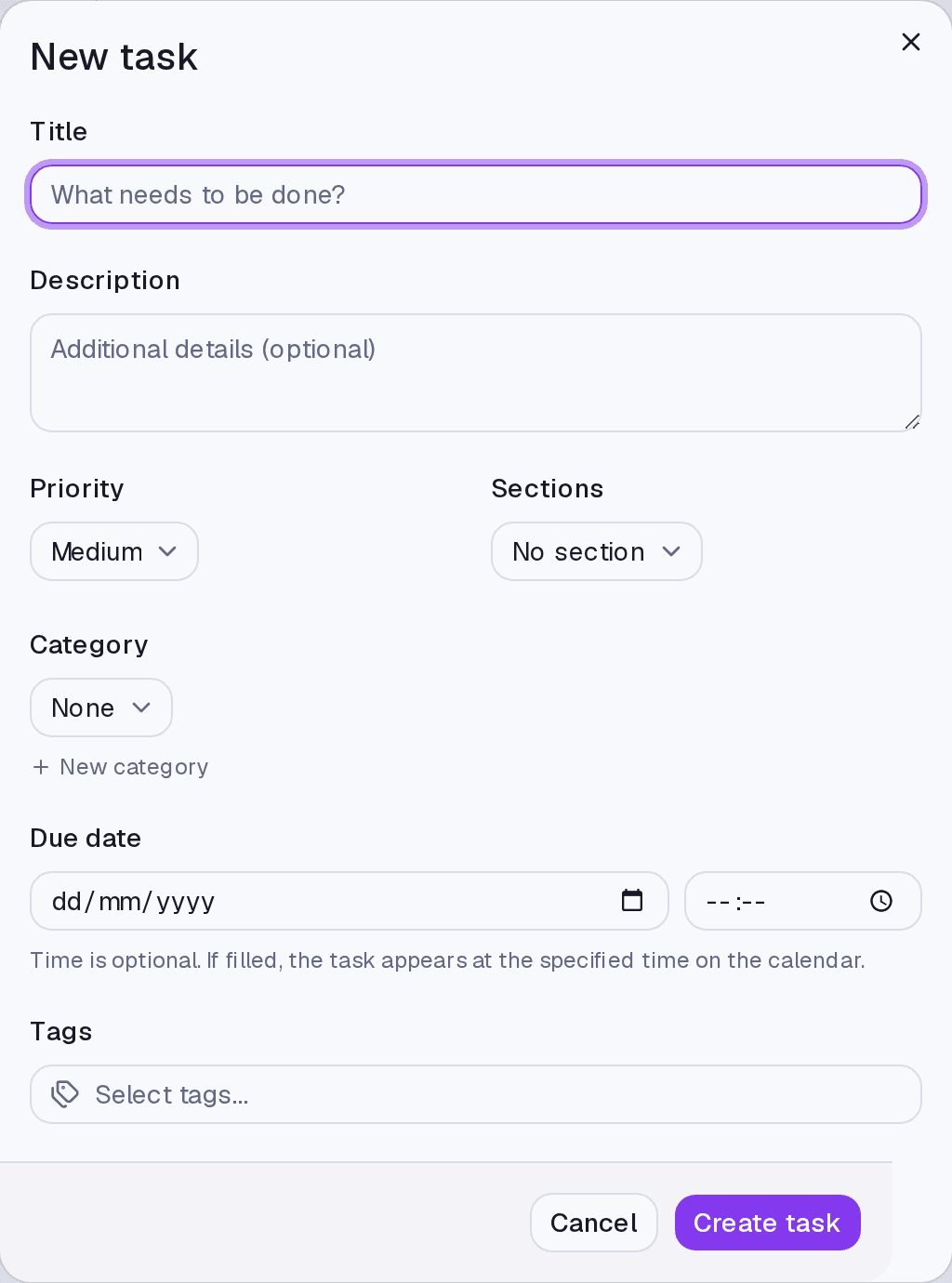
A task needs one required field: the title. Everything else exists so you can find and prioritise it later, and may stay empty.
How to create one
- On the Tasks screen, click New task.
- Write the title in What needs to be done?.
- Fill in whatever is useful and click Create task.
The fields
Title — what needs to be done. Start with a verb: "call the accountant" ages better than "accountant".
Description — details that do not fit in the title. Optional.
Priority — Urgent, High, Medium, or Low. Used for sorting and grouping later.
Category — the area of your life. A task has at most one.
Tags — cuts that cross categories, and a task can carry several.
Due date — the day. The time is optional, and it changes the behaviour: with a time, the task appears on the calendar at that hour and can fire an alert.
Steps and subtasks — the breakdown of the work into smaller items.
Where it lives
The Tasks screen. The same task shows on the Dashboard and on the Calendar when it has a date — and, with a time, in the right slot of the day.
Limits and plans
Creating and editing tasks is in any paid plan. With no active plan the account is read-only: the list stays visible, the create button does nothing.
The ceiling is 5,000 active tasks. That is abuse protection, not an upsell — hitting it shows a plain error, not a plan offer.
Common questions
Difference between priority and date? The date is when it has to happen; the priority is what matters more when two things land on the same day. Using priority as "list order" usually ends with everything marked Urgent.
Category or tag? A category answers "which area is this" and is single. A tag answers "what else is this" and stacks.
Can I create a task by speaking? Yes, through the AI chat — by text or by voice.
Updated on August 26, 2026