Create a habit and its frequency
What separates a habit from a recurring task, and how to pick the right frequency.
A habit is behaviour you want to keep. What matters about it is consistency, not delivery — which is why it has a streak and a heat map, and no deadline or completion status.
If what you want is a reminder to pay the rent on the 5th, that is a recurring task, not a habit.
Creating one
- On the Habits screen, click New habit.
- Name it after what you do: "walk 20 min" works better than "exercise".
- Pick the Frequency: Daily, Weekly, or Custom.
- Set a preferred time, if it helps you remember, and save.
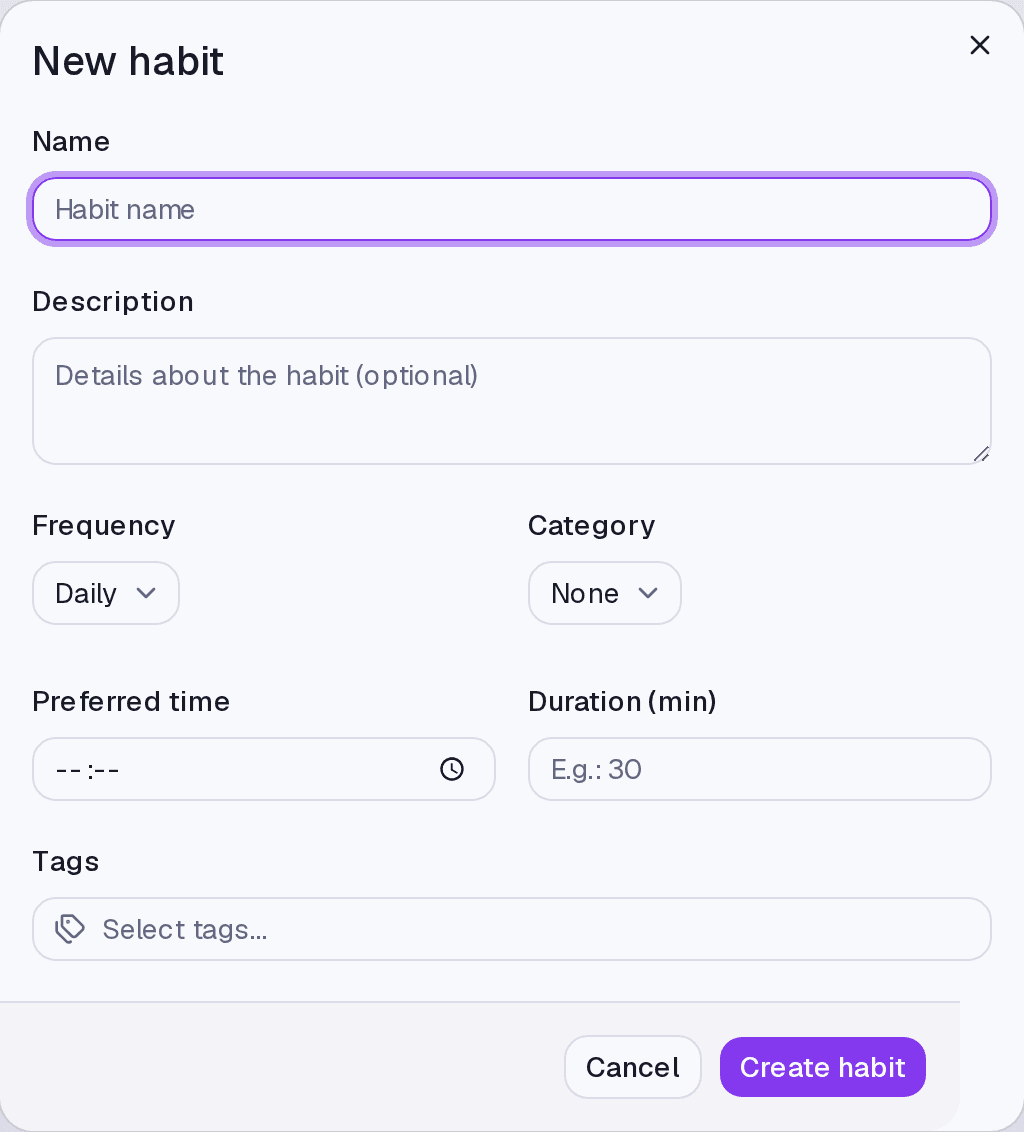
Choosing the frequency
Daily — every day. The streak breaks when you skip a day, so use it for what you genuinely do every day.
Weekly — a few times a week, on the days you tick.
Custom — when your pattern is neither of the above.
Where it lives
The Habits screen. With a time set, the habit also appears on the Calendar and can fire an alert.
Limits and plans
Habits are in any paid plan, up to 100 per account. With no active plan the history stays visible but check-ins are not possible.
Common questions
I picked the wrong frequency after weeks of use. You can change it; the history already recorded stays.
I want to pause a habit for a while. There is no pause. If it is a few days, let the streak break — it is an indicator, not a punishment. If it is permanent, delete it.
Updated on August 26, 2026