Check-in, including past days
Marking what you did today — and fixing the day you forgot to mark.
The check-in is the record that the habit happened. It is what feeds the streak and the heat map.
Today's check-in
- Open the Habits screen.
- In Today's check-in, tick the habits you kept.
Ticked the wrong one? Undo appears right after.
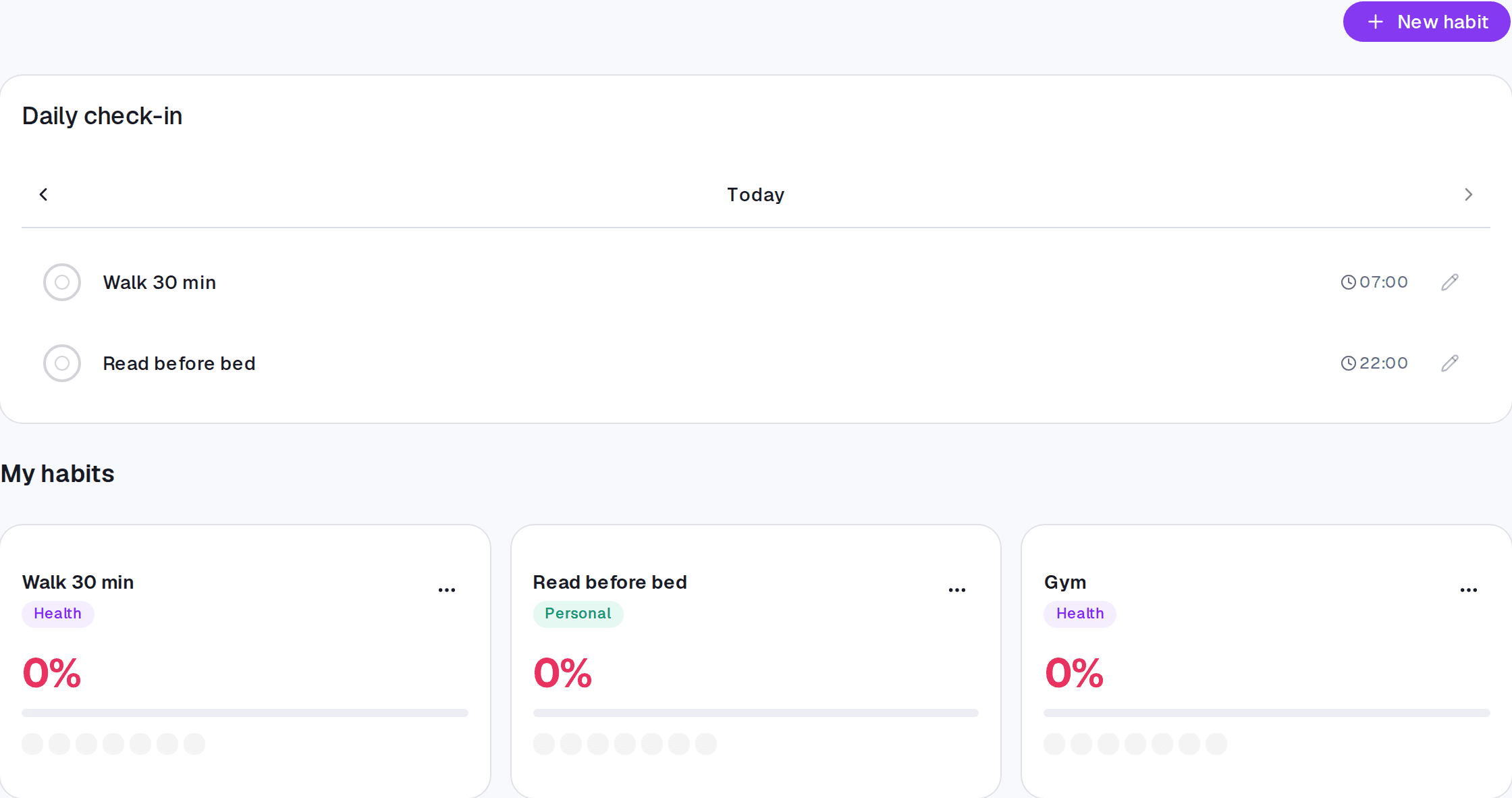
Checking in for a past day
Forgetting to mark something should not break a streak that genuinely happened. So you can log earlier days:
- In the check-in, use Previous day or Pick a day.
- The app warns you that you are logging a day that has passed.
- Tick what was kept and come back with Today.
The streak is recalculated with the recovered day.
Where it lives
The Habits screen, at the top. The Dashboard shows the day's habit health, and each habit's detail brings the streak, the heat map, and a comparison with earlier periods.
Limits and plans
Check-in is in any paid plan.
Common questions
Can I mark a future day? No. A check-in records what happened.
My streak broke and I had kept it. Back-fill that day and it comes back.
"No habits expected on this day." The day you picked is not in any of your habits' frequencies — on a weekly habit set to Tuesdays, Monday looks like this.
Updated on August 26, 2026