Daily briefing and weekly summary
What the AI prepares on its own, without being asked.
Besides answering when called, the AI prepares two texts by itself:
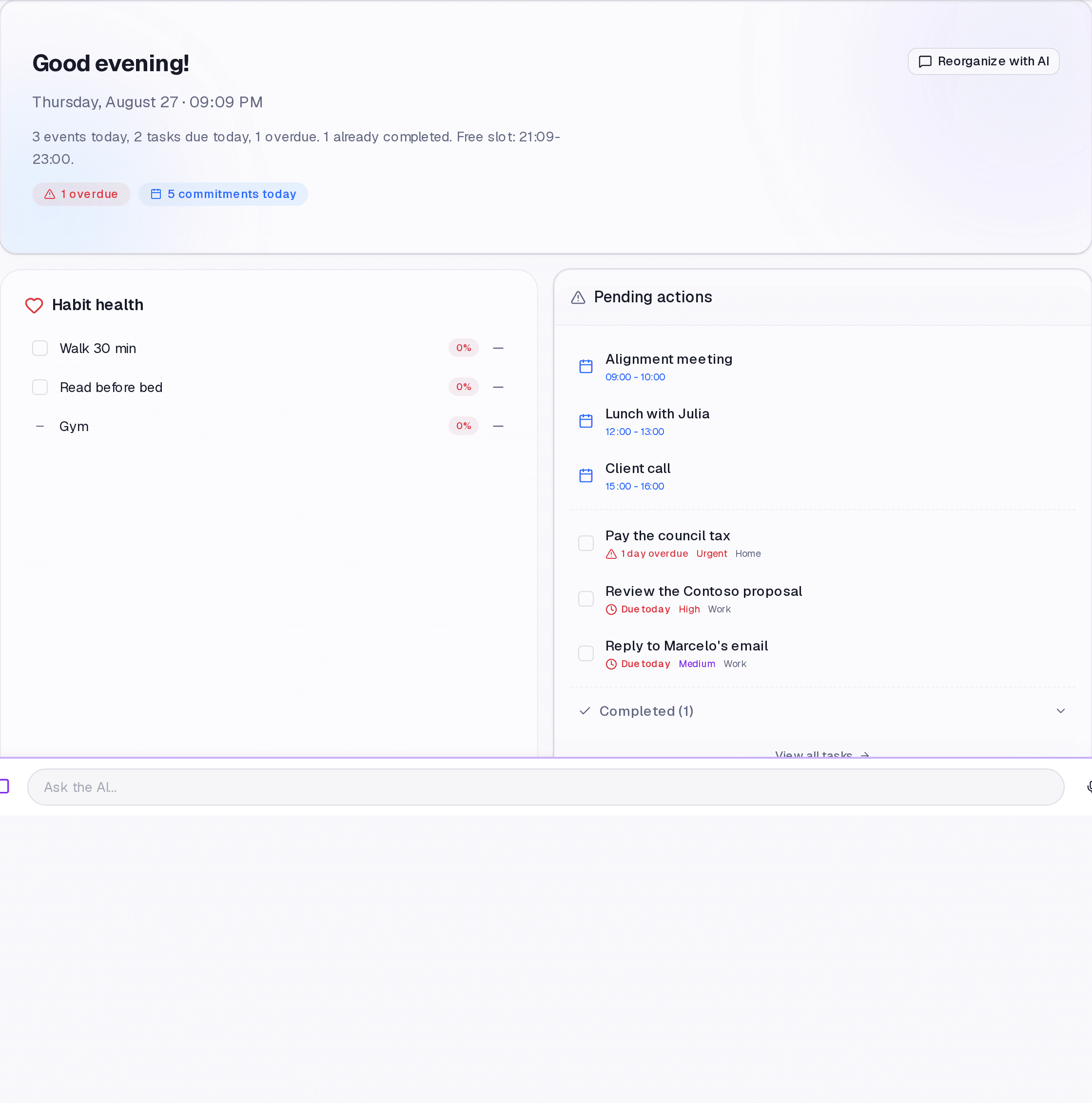
- Daily briefing — the summary of your day, on the Dashboard: calendar, today's tasks, what is overdue and by how many days.
- Weekly summary — a balance of the week in Insights: what moved, what stalled, how the habits went.
Where it lives
The briefing sits at the top of the Dashboard. The weekly summary sits in Insights, alongside the period statistics.
Reading the briefing
It shows the day's completion percentage, the timed commitments, today's tasks, and the overdue ones — the last with the age of the delay, usually the most useful thing on the screen. On a day with nothing booked, it says so instead of inventing content.
Limits and plans
Common questions
Does it use my message quota? No. The briefing does not come out of your 200 monthly messages.
Can I get it by email? The summary is sent according to your communication preferences, under Settings.
The briefing looks out of date. It is assembled with the day already under way. Changes made afterwards show immediately in the other Dashboard areas, and in the briefing on its next generation.
Updated on August 26, 2026