Profile, time zone, language, and theme
The settings that change how the app behaves for you — the time zone causes the most confusion.
All of it under Settings → General.
Profile
Name — what appears in the menu and in how the AI addresses you. Editable.
Email — comes from your Google or Microsoft account and is not editable here: it is what identifies your sign-in.
Time zone — the most important thing on the screen. It decides what "today" means, what time an alert fires, and where each item lands on the calendar.
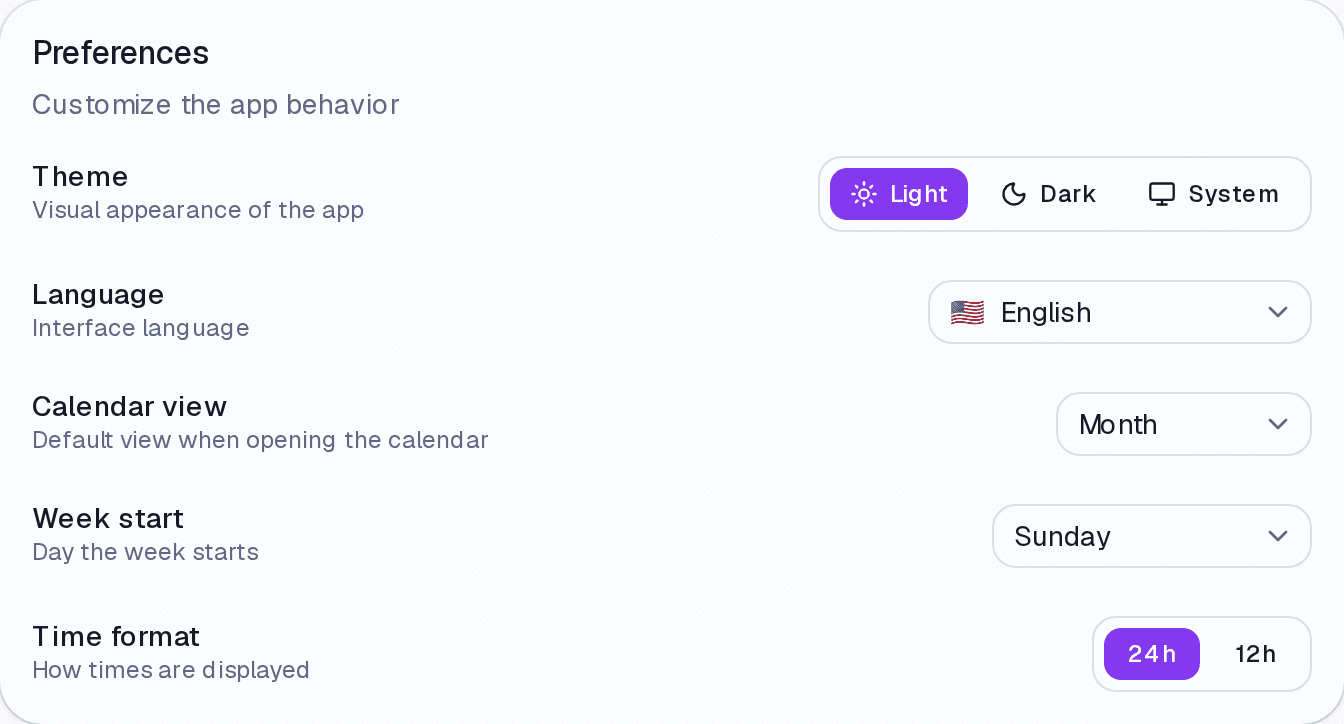
Preferences
Theme — Light, Dark, or System. There is also a quick toggle at the top of every screen.
Language — English or Portuguese. It changes the interface and the language the AI transcribes your audio in.
Calendar view — which view the Calendar opens with: month, week, or day.
Week start — Sunday or Monday. Affects the calendar and weekly grouping.
Time format — 24h or 12h.
Where it lives
Settings → General. AI behaviour lives under AI Assistant; reminders under Alerts; your plan under Subscription.
Limits and plans
Preferences are in any paid plan. With no active plan the account is read-only and nothing can be changed.
Common questions
I changed my time zone. What happens to what already exists? Times are stored as absolute references and start being displayed in the new zone. Nothing is rescheduled on its own — the 2pm appointment in São Paulo stays at the same instant, shown in the new place's local time.
Does the theme follow my system? If you choose System, yes.
I switched the language and some text is still in Portuguese. Content you wrote yourself — task titles, category names — is not translated.
Updated on August 26, 2026